Protect Yourself Online

The best line of defense against fraud begins with you, and here are some helpful tips. The credit union also has many processes in place to monitor our systems and will respond immediately to suspicious activity and alerts. Working together, we can help you have a safe online experience with VACU.
1. Use a password that’s not easily guessed or cracked.
Avoid using passwords that could be easily linked to you, like your phone number, social security number or family members’ names. Use several characters in your password; so it's harder to break it. Consider the following when you create a new one:
- Make sure the password and username you choose for online banking are unique: don’t use it for any other sites or services.
- Use both uppercase and lowercase characters.
- Use symbols such as #, $, or %.
- Pick letters from a phrase, so your password is really a pass phrase. For example, “Chicago is my kind of town” would be “Ch!mk0T$”
2. Never save your password to your desktop.
This may seem like a time saver, but it allows others to access your personal information without your permission. Don’t enable your browser or website to remember your passwords.
3. Beware of emails asking for your personal information.
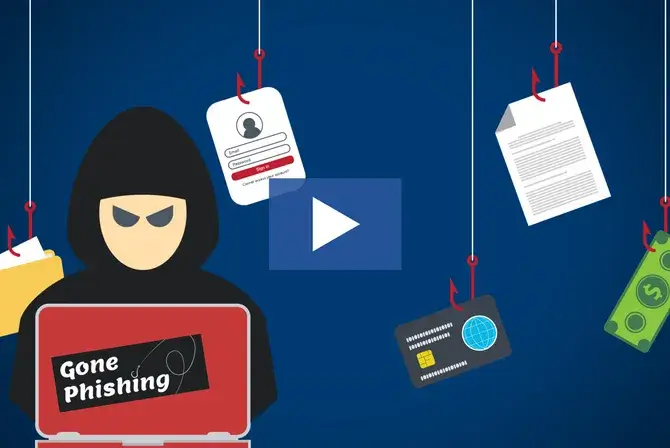
Phishing emails are sent by criminals who wish to steal your personal information. These messages often use logos of legitimate companies that you may already do business with. Links within these messages may take you to phony websites designed to fool you into trusting them.
Be suspicious of any email that asks for your passwords, PINs, credit card numbers or other confidential personal information. Do not reply to the email or enter any personal information until you’ve verified the sender and website address. Contact the financial institution directly at a phone number, website or email address you know to be legitimate. Do not rely on the contact information in the email.
Please contact us immediately if you ever have a concern about VACU email messages or website links. You can also email ReportAbuse@vacu.org to report any suspicious activity.
4. Beware of pop up windows.
Be wary about any unusual or unexpected window that “pops up” during an Internet banking session. Especially if the new or unexpected window asks you to access another website or enter your password, or enter other personal data that is not normally requested. If you see suspicious pop ups during or after the Internet banking login process, contact your financial institution immediately.
5. Use the best virus protection and firewall protection that you can afford.
Virus protection and firewalls reduce your risk of exposure to viruses and threats to your computer. Virus protection packages and personal firewalls can be purchased online or at reputable computer software stores. Install updates regularly and scan any files you receive or download.
6. Keep your operating system and web browsers up to date.
Security updates are released to address security flaws with browsers or operating systems. Visit the software provider's site regularly to check for updates or enable automatic updates.
7. Check for site security.
Before you submit any information online, be sure the website is secure. Unscrupulous hackers can exploit unsecured websites to steal your information. Most websites secure your personal information by encrypting or scrambling the data.
- Look for “https” in the website address. Secure sites have “https” at the beginning of the address, rather than “http.” The “s” stands for “secure” and indicates the information you send is encrypted or scrambled, so it can't be read during transmission.
- Check the certificate. Make sure the security certificate is issued to the business or entity to which you intend to submit personal information and the “valid from” dates are current.
8. Disconnect from the Internet when not in use.
Power off your home computer or disable your wireless router when you are not using them. When you have finished with an Internet banking session, close the browser window to completely terminate the connection.
9. Be sure we know how to contact you by mail and phone.
Keep your mailing address and phone numbers current with VACU as well as any other financial institutions, credit card providers, or merchants you use. If we need to contact you about important matters, we will normally contact you by phone or by mail.
You may either contact us or use our change of address form; just complete it and return it by mail or at any branch.
10. Don’t be a victim of identify theft.
Everyone makes mistakes. If you think you may have submitted personal information to a suspicious website, act quickly. Change your passwords and PINs immediately. There are many resources and solutions available to preserve your piece of mind as well as your financial being. If you suspect you have entered your credit union account, credit card or debit card information in a phony website, contact Member Services immediately. You can also reach us via email at ReportAbuse@vacu.org.